![logo-pie.png]](https://soporte.tiralineas.digital/hs-fs/hubfs/WEB-nueva/logo-pie.png?height=40&name=logo-pie.png)
Follow this guide step by step to integrate HubSpot with your SQL data base and allow you to do data analytics in Power BI.
1. locating and installation
The process starts in HubSpot application ecosystem:
- HubSpot Marketplace: Search for the Deal Commander application and press the "Install" button
2. Subscription and access management
Deal Commander subscription and management once installed:
- Select the home icon (Marketplace) in HubSpot's upper menu

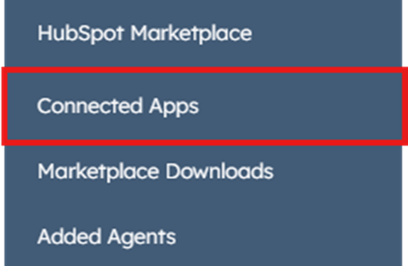
- Go to the"Connected apps" section.
- Select the Deal Commander application on the main panel list.
- Subscription and configuration
In the application general settings, there are to two mayor sections:- Subscription: Allows you to see the current subcription plan and subscribe or unsubscribe to the service
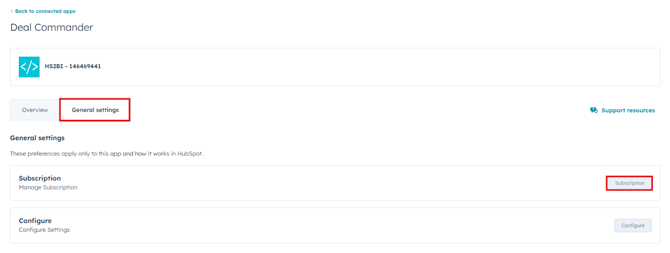
- Subscription: Allows you to see the current subcription plan and subscribe or unsubscribe to the service
-
- Configuration: application technical control panel access
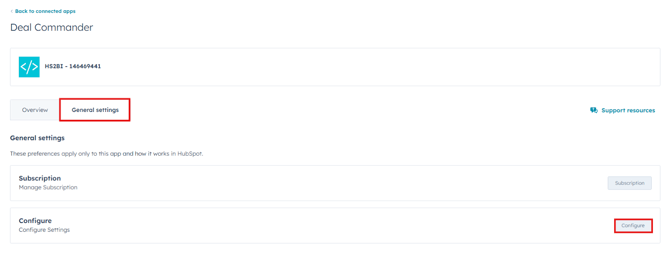
- Configuration: application technical control panel access
- Configuration tabs
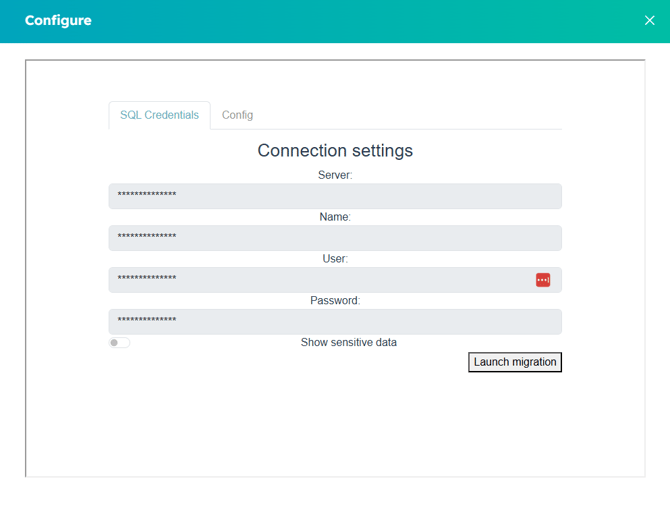
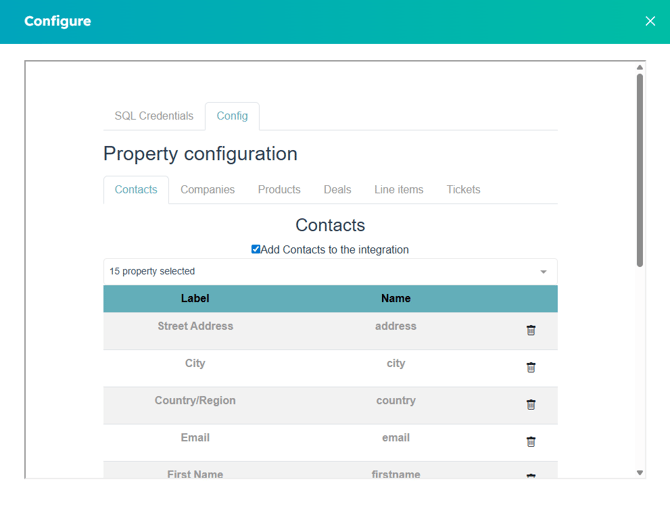
There are two main areas in configuration:- SQL Credentials(First tab): There we visualize thee SQL connection built when the application first migrated. This data allow you connect your data base with reports generation.
- Configuration (Second tab): In this tab you can choose the specific data you want to send from HubSpot to your reports.
- SQL Credentials(First tab): There we visualize thee SQL connection built when the application first migrated. This data allow you connect your data base with reports generation.